ClipCoin (clipcoin.pro) is a watch-to-earn site launched in November 2026 by the team behind PayUp.video. You watch YouTube clips of 12 seconds or more on an Android phone and cash out to FaucetPay, TRX, USDT and 8 other methods. It is our current watch-to-earn pick, but it is new and unscored. Use it in your phone's browser, or run the optional auto-view app only on a spare phone.
Referral link. We may earn a commission at no cost to you.
Quick Facts
How we reviewed it
We went through ClipCoin's site, FAQ and Android app guide on 10 November 2026, and took its Android app (version 1.0.1) apart in a full static security check. You can read that in our ClipCoin app security report. We have not completed a withdrawal yet, so this review has no score and makes no earnings claims of its own. It contains our referral link.
What is ClipCoin?
ClipCoin is a paid-to-watch site. Advertisers pay for views of their YouTube videos, and ClipCoin passes part of that payment to the people watching. You tap Watch, the clip opens on YouTube, you watch it for at least the time the task sets (12 seconds or more) and come back. The view is counted, money lands on your balance, and you get 15 tickets on top.
It runs on Android only. You can watch in a normal mobile browser (up to 540 views a day) or install ClipCoin's own app, which watches clips by itself (up to 900 a day). ClipCoin's site and FAQ say iPhones, computers and in-app browsers don't count.
Is ClipCoin connected to PayUp.video?
Yes. PayUp.video's operators announced ClipCoin themselves. PayUp's site now only shows a notice: their hosting provider was hacked, the servers, site backups and databases were damaged, and PayUp "cannot run as before". They say that if they recover a backup they will move old PayUp balances to ClipCoin, and if they can't, everyone who signs up to ClipCoin through the link on that notice gets a sign-up bonus.
As of 10 November 2026 no balances had been restored. If you had money on PayUp, don't count on getting it back, and treat ClipCoin as a fresh start. Our PayUp.video review keeps the full history. LuckyWatch, the other watch-to-earn site we used to recommend, is still on a stripped-down temporary site, which is why we now send new sign-ups to ClipCoin.
How does ClipCoin work?
- Sign up with an email address or Google. Confirm your email; you need it to withdraw.
- Tap Watch on a task. The clip opens on YouTube.
- Watch until the timer ends, then return to ClipCoin. The view is counted and paid, plus 15 tickets. Now and then it asks you to pass a short check.
- Spend tickets on boosts or raffles: an income boost costs 25,000 tickets, a fee-free withdrawal 30,000, and swapping tickets for balance 50,000.
- Withdraw from Payouts to one of 11 methods once you clear that method's minimum.
A daily bonus that grows with the number of videos you watch, partner tasks (app installs, surveys) and contests sit on top of the core watching.
How much does ClipCoin pay?
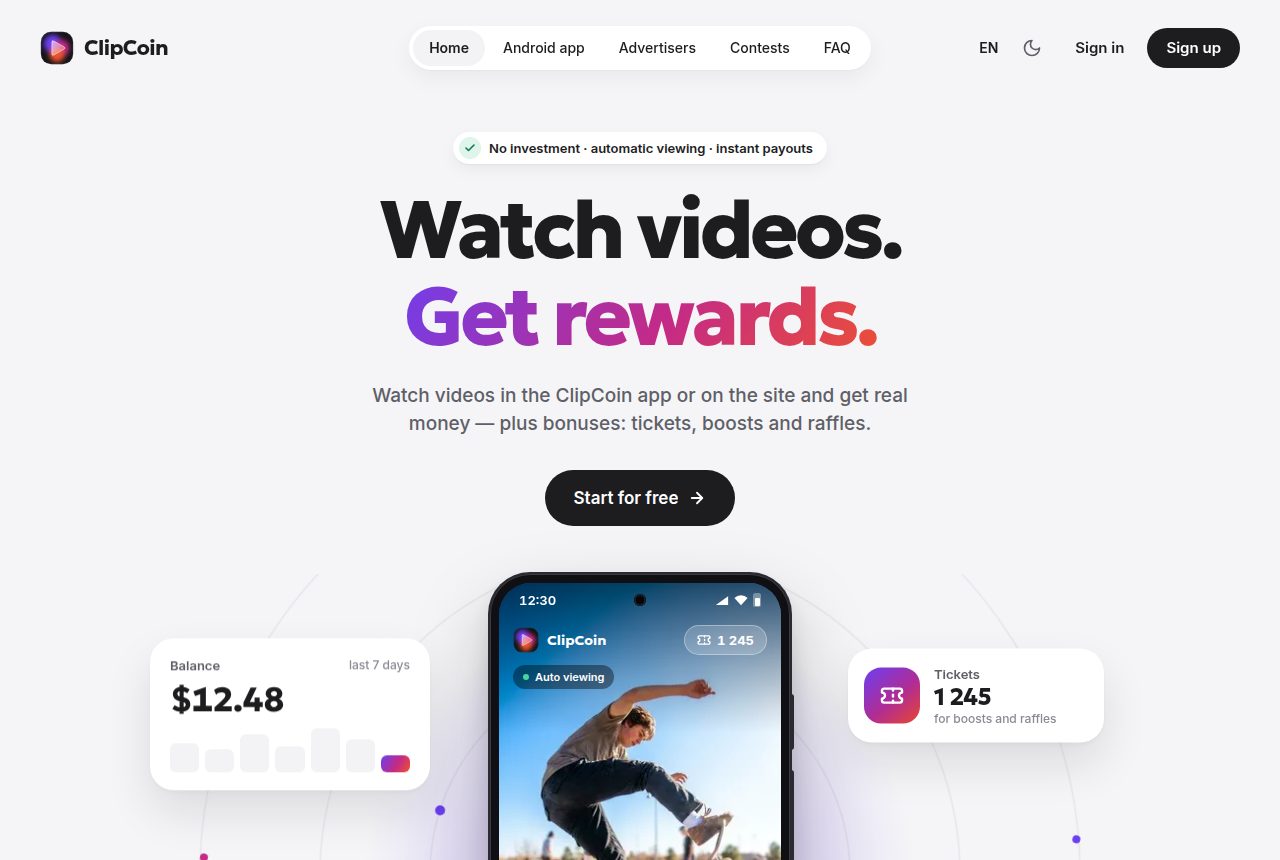
ClipCoin doesn't publish a fixed rate per view. Its app mock-up shows +$0.02 for an auto-viewed clip, and its home page shows a sample balance of $12.48 for a week. Both are marketing images, not results.
For comparison, LuckyWatch's own pages showed about $0.0085 per video, and our LuckyWatch testing came to roughly $0.15 to $0.20 a day. Plan on cents per day from the browser and a bit more from the app, then check against your own first withdrawal before you put more time in.
Our own numbers, 12 November 2026: $0.11916 earned from 493 of the 540 browser views, about $0.00024 a view with the daily bonus included. At that rate the full browser limit is worth roughly $0.13 a day and the app's 900 views roughly $0.22, so we estimate ClipCoin at about $0.20 a day. Views are capped at 60 an hour and each clip runs at least 15 seconds.
Payment proof: ClipCoin paid us
On 12 November 2026 ClipCoin paid 0.0988 USDT into our FaucetPay wallet.
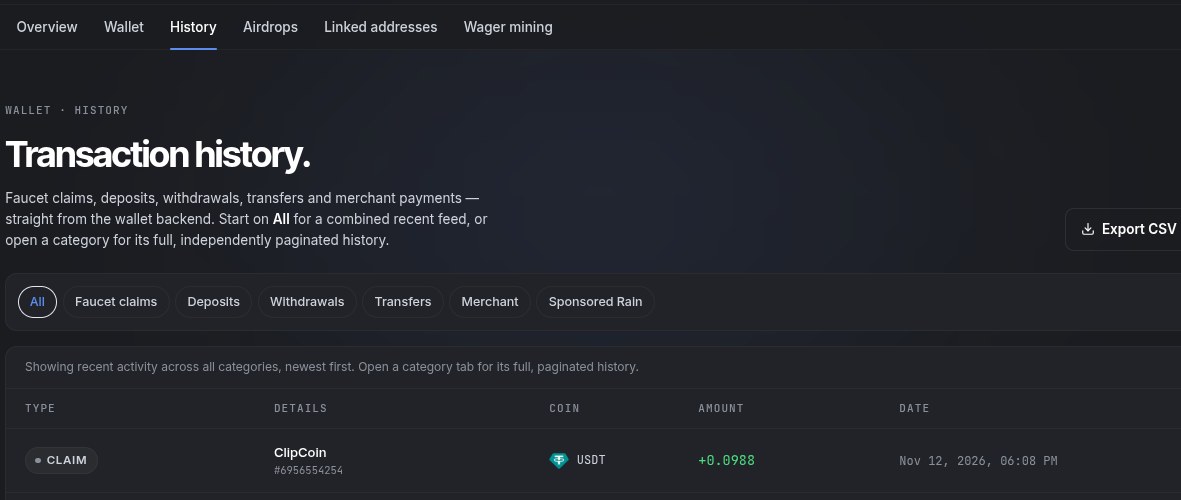
See the full payment proof and daily earnings or join ClipCoin free with our link.
What payment methods does ClipCoin offer?
ClipCoin lists 11 payout methods: FaucetPay USDT, USDT BEP20, TRX (Tron), Telegram Stars, FKwallet, Steam, SBP (Russian rubles), bKash, Nagad, Easypaisa and JazzCash. The minimum and fee depend on the method and are shown before you send a request. A confirmed email is required, and requests are reviewed automatically.
If you are outside Russia and South Asia, FaucetPay USDT is the easiest route: it collects small amounts in one wallet you can cash out from later. Our FaucetPay review covers setup.
Does ClipCoin have a referral program?
Yes, on three levels: you earn a share of what your referrals, their referrals and the third circle earn from watching, without reducing their pay. You also get tickets for each sign-up. ClipCoin doesn't publish the percentages.
Is the ClipCoin app safe?
Our security check of ClipCoin app 1.0.1: no malware found, but it needs a lot of trust
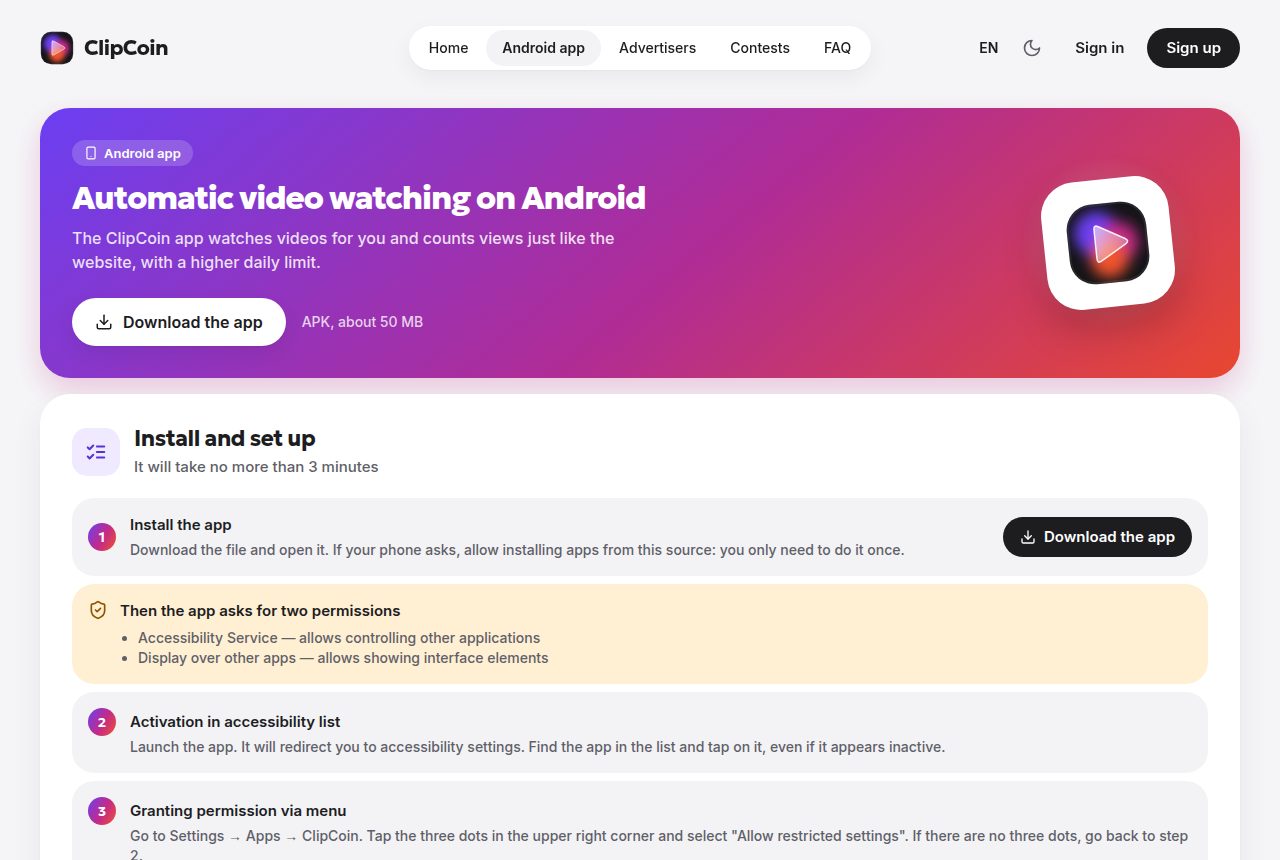
We decompiled the app and found no malware: no clipboard hijacking, no SMS or contacts access, no crypto miner, no hidden ads and no tracking SDKs, and it only talks to clipcoin.pro, YouTube, Google sign-in and Cloudflare. But auto-viewing works by giving the app Accessibility access, which lets it read whatever is on your screen and tap for you. It uses that to drive the YouTube app on your phone and your Google account. The app is sideloaded, not on Google Play, and can push its own updates.
The safe route is to watch in your phone's browser. If you want the app, put it on a spare phone signed in to a spare Google account, and never open banking or wallet apps while it runs. Full breakdown: ClipCoin app security report.
ClipCoin Pros and Cons
Pros
- No deposit, no investment
- Short clips from 12 seconds
- 11 payout methods, including FaucetPay USDT and TRX
- Minimum and fee shown before you withdraw
- Optional auto-view app, up to 900 views a day
- Same team and format as PayUp.video, which paid reliably before it closed
Cons
- Brand new: first payout received 12 November 2026, but only a short track record so far
- Old PayUp balances not restored
- Android only
- The auto-view app needs Accessibility access and is sideloaded
- No published rate per view or referral percentages
- Botted YouTube views go against YouTube's rules, and that risk sits with your Google account
How to use ClipCoin safely
- Start in the browser. Chrome on Android works and needs no extra permissions.
- Withdraw as soon as you clear a minimum, and keep withdrawing. Don't build up a big balance on a new site.
- If you use the app, use a spare phone and a spare Google account, not your main YouTube account.
- Turn Accessibility off for ClipCoin when you are not running it, and don't open banking, email or wallet apps while it is on.
- Only install the app from clipcoin.pro itself, and check the version against our report before updating.
- Use one account per person. ClipCoin fingerprints devices and checks for VPNs, emulators and rooted phones.
Final Verdict
Verdict: our watch-to-earn pick, paying so far, unscored until it builds a track record
ClipCoin is the simplest way to keep earning from short videos now that PayUp.video has closed and LuckyWatch is on a temporary site. The format is the same one that worked on PayUp, payouts go to FaucetPay and TRX, and nothing in the app is malware. It is new, though, and the auto-view app asks for far more access than watching videos should need. Sign up, watch in the browser, withdraw early, and add the app only on a phone you don't use for anything else.
Referral link. We may earn a commission at no cost to you.
Frequently Asked Questions
Is ClipCoin legit?
ClipCoin is a real, working watch-to-earn site launched in November 2026 by the team behind PayUp.video, and it has paid us: 0.0988 USDT to FaucetPay on 12 November 2026. One payout is not a long track record, so start small and withdraw as soon as you reach the minimum.
How much does ClipCoin pay?
ClipCoin does not publish a fixed rate per view. On 12 November 2026 we earned $0.11916 from 493 browser views, about $0.00024 a view with the daily bonus included. We estimate about $0.20 a day: roughly $0.13 for the full 540 browser views and $0.22 for the 900 the app allows.
Is the ClipCoin app safe?
We found no malware in ClipCoin app version 1.0.1. The app does need Accessibility access to control YouTube for you, which is a powerful permission. Use the browser version, or run the app on a spare phone with a spare Google account.
Who owns ClipCoin?
ClipCoin is run by the operators of PayUp.video, who launched it after saying their old hosting was hacked. The site does not name a company. Its Android app is signed with a certificate registered to ClipCoin in Russia (country code RU).
Will my PayUp.video balance move to ClipCoin?
Only if PayUp's operators recover a backup, they say. If not, people who sign up to ClipCoin through PayUp's link get a sign-up bonus instead. As of 10 November 2026 no balances had been restored.
Does ClipCoin work on iPhone or PC?
No. ClipCoin only counts views on an Android phone, either in a normal mobile browser such as Chrome or in its own Android app. iPhones, computers and in-app browsers are not supported.
How do I withdraw from ClipCoin?
Open Payouts, pick one of 11 methods (including FaucetPay USDT, TRX, USDT BEP20, Telegram Stars and Steam) and send a request. You need a confirmed email. The minimum and fee for each method are shown before you confirm.
Sources
All checked on 10 November 2026.
Related Reviews
Was this review helpful?